Diagnose
Find out where it breaks.
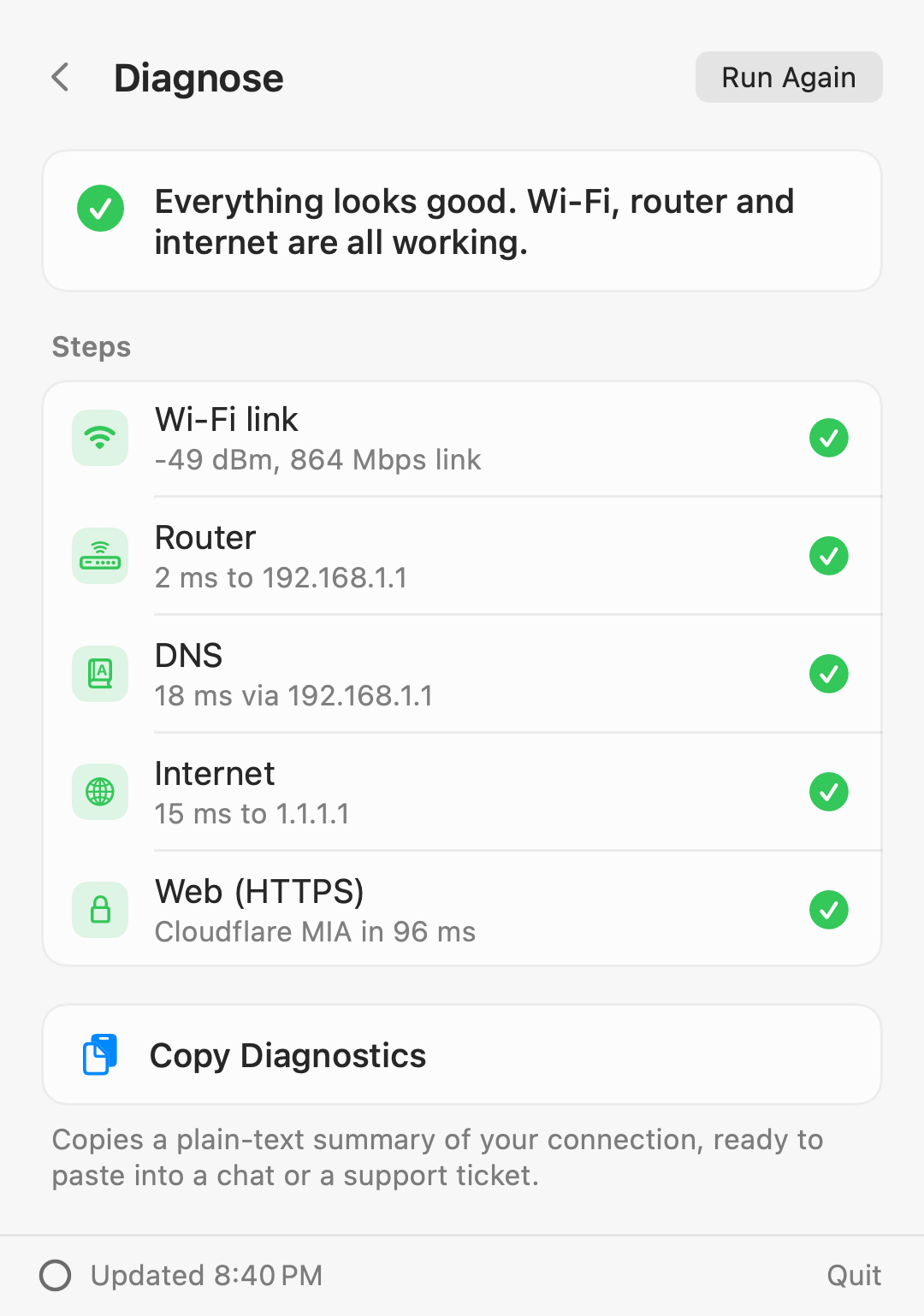
One click checks your Wi-Fi link, router, DNS, internet and secure web in order, then tells you in plain words what to do next.

Live signal stats, Cloudflare speed tests and one-click diagnosis, in a native menu bar app for your Mac.
Free · macOS 13 or later
Features
One click checks your Wi-Fi link, router, DNS, internet and secure web in order, then tells you in plain words what to do next.
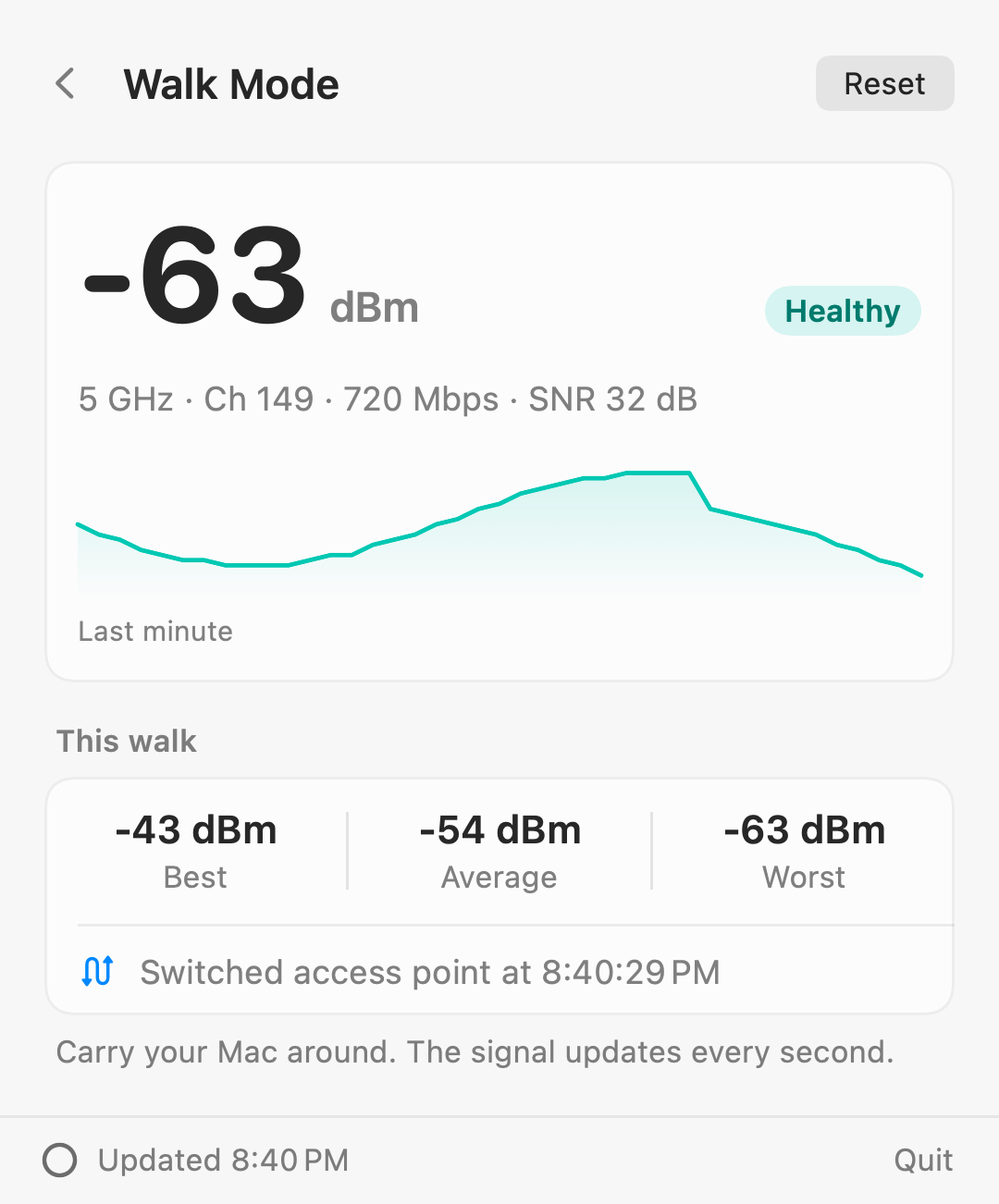
Carry your Mac around. The signal updates every second, with the best, average and worst readings.
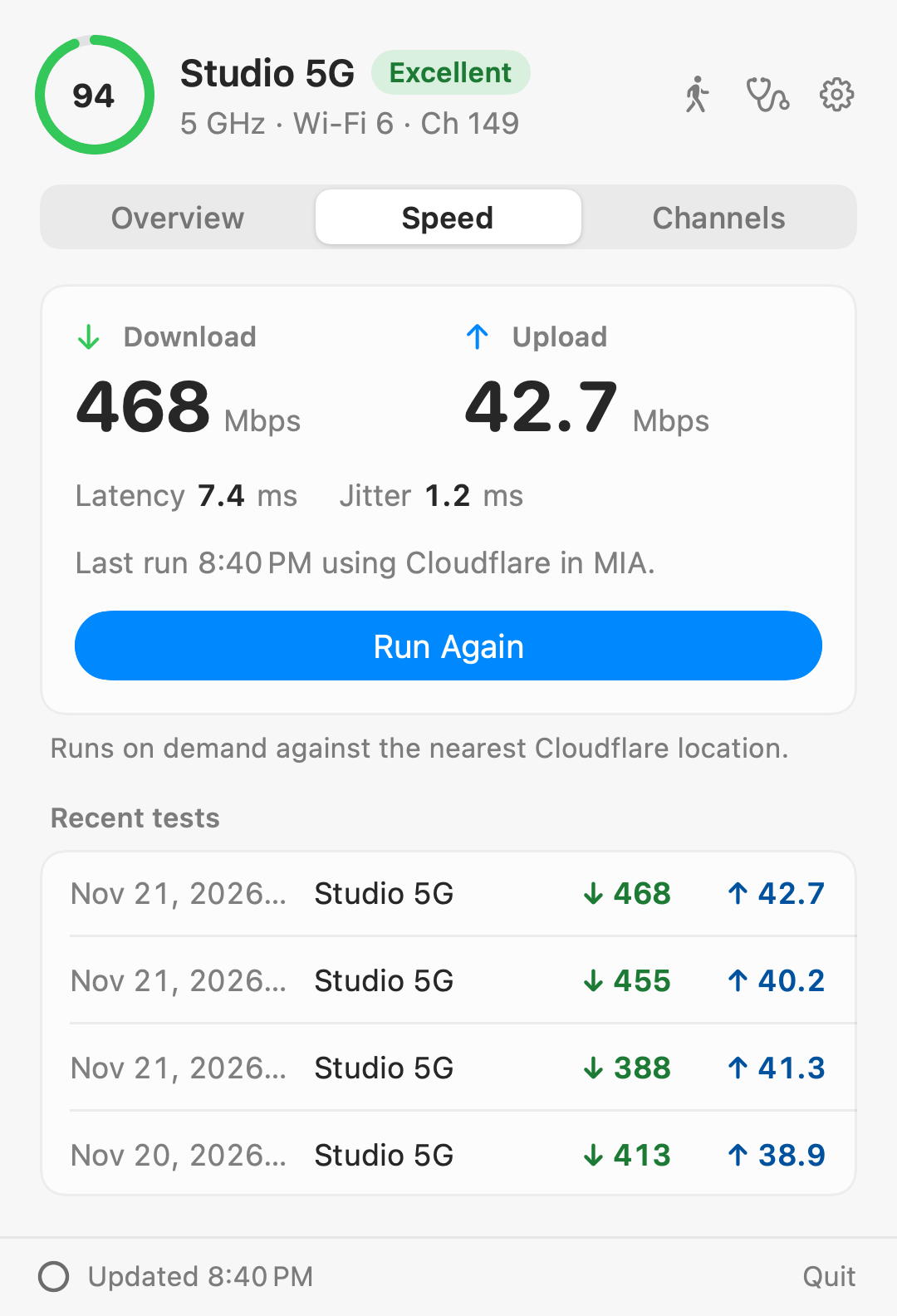
Download, upload, latency and jitter against the nearest Cloudflare location. No server to pick.
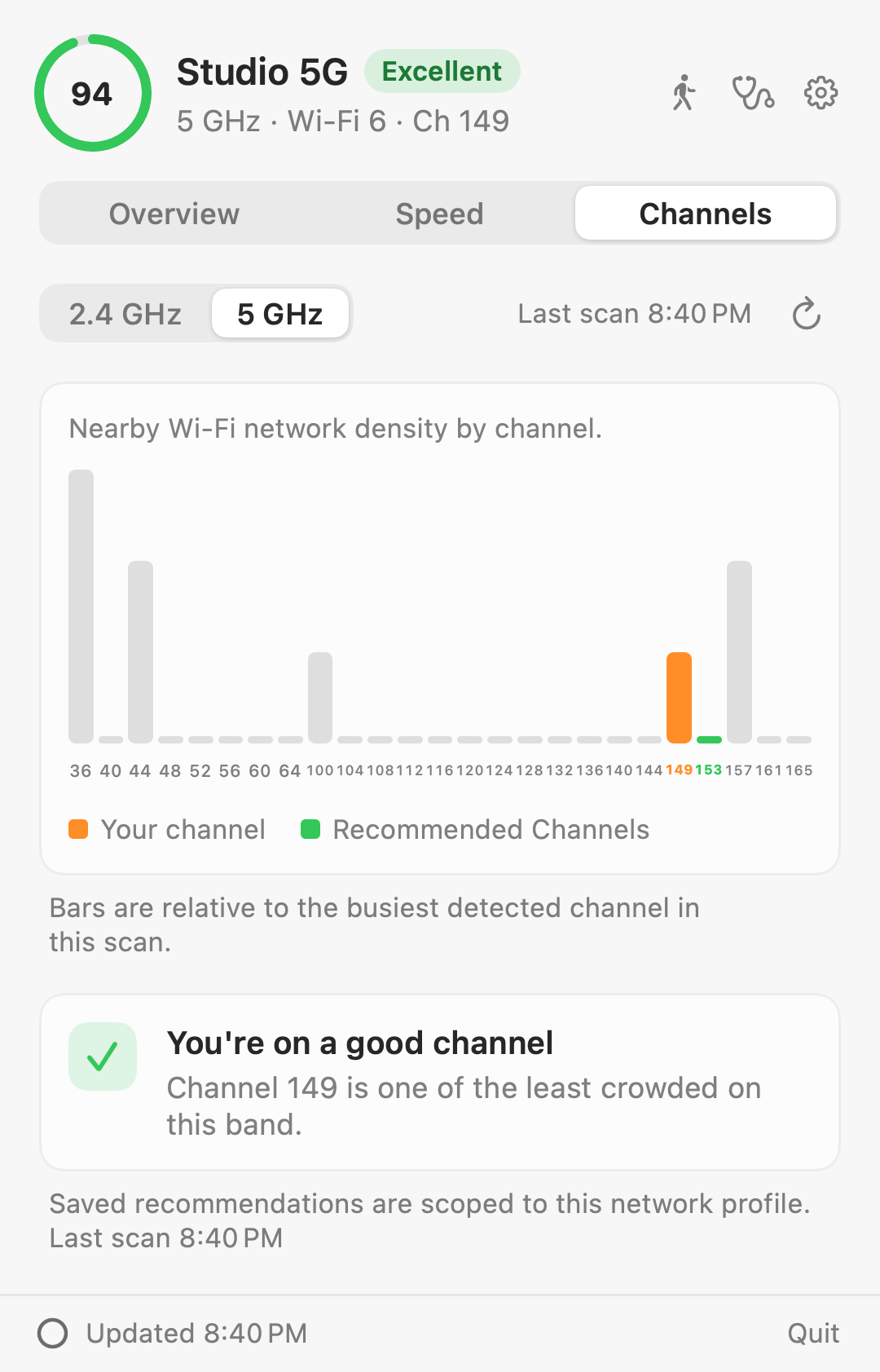
See how crowded each 2.4 and 5 GHz channel is, where you sit, and which channels are recommended.
Copy Diagnostics
Copies a plain-text summary of your connection, IPs, DNS servers, last speed test and Diagnose results, ready for a chat or a support ticket.
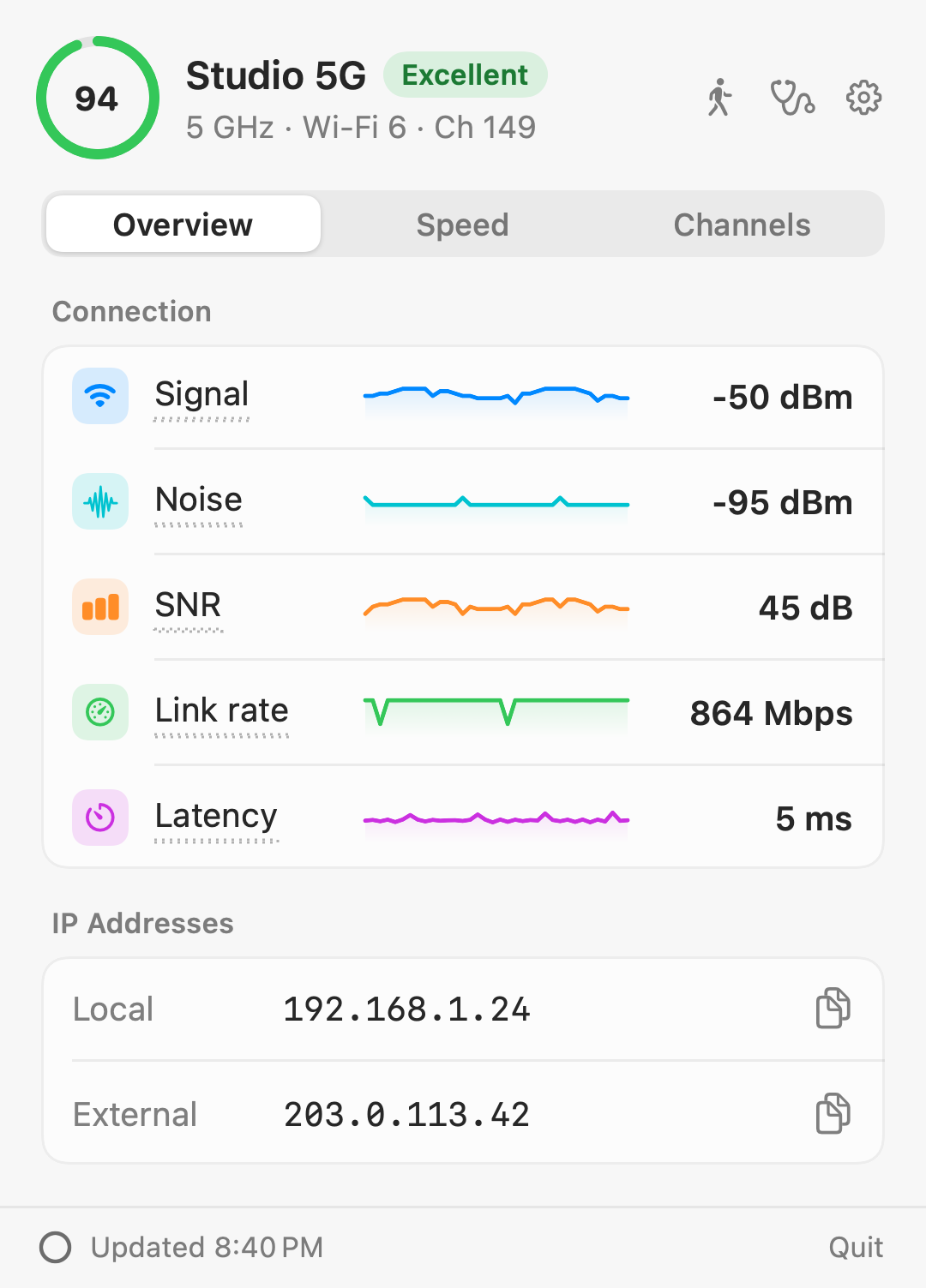
Signal, noise, SNR, link rate and latency, each with a sparkline.
Metrics, channel picks and speed tests are kept for each network.
A real macOS popover that follows light and dark mode and sips power.
Join thousands of users who rely on Wife Eye for their network monitoring needs.
"Finally, an app that tells me exactly why my video calls keep dropping. The channel analysis feature helped me find the least congested channel instantly."
Sarah Chen
Software Engineer
"Wife Eye lives in my menu bar and gives me peace of mind. I can quickly check my connection quality before any important meeting. Essential tool!"
Marcus Johnson
Remote Worker
"The real-time statistics are incredibly accurate. I use it to troubleshoot network issues for our team. Clean interface and super lightweight."
Elena Rodriguez
IT Administrator
Wife Eye is free on the Mac App Store. It lives quietly in your menu bar until you need it.
Download on theMac App StoreRequires macOS 13 or later.